

The Game Statistics Authority : ActivePlayer.io
  • ActivePlayer
    • Top 20 PC Games of 2026
    • Popular Game Counters
    • Fortnite Leaderboard
    • Overwatch 2 Leaderboard
    • League of Legends Leaderboard
    • Valorant Leaderboard
    • Apex Legends Leaderboard
  • Twitch
    Rocket League Live Twitch Statistics

    Rocket League Twitch Statistics

    Dark and Darker Live Twitch Statistics

    Dark and Darker Live Twitch Statistics

    Final Fantasy XIV Online Live Twitch Statistics

    Final Fantasy XIV Online Live Twitch Statistics

    Shift at Midnight Twitch Statistics

    Shift at Midnight Live Twitch Statistics

    Path of Exile 2 Twitch Statistics

    Path of Exile 2 Twitch Statistics

    Hearthstone Live Twitch Statistics

    Hearthstone Live Twitch Statistics

    EA Sports FC 26 Twitch Statistics

    EA Sports FC 26 Twitch Statistics

    Brawl Stars Twitch Statistics

    Brawl Stars Twitch Statistics

    Nioh 3 Live Twitch Statistics

    Nioh 3 Twitch Statistics

  • Down Checker
    • Roblox Down Checker
    • Fortnite Down Checker
    • Genshin Impact Down Checker
    • Valorant Down Checker
    • Overwatch 2 Down Checker
    • Rainbow 6 Siege Down Checker
    • Apex Legends Down Checker
    • Destiny 2 Down Checker
    • Tarkov Live Status Checker
  • Tools
    • Fortnite Battle Royale Stats Tracker
    • Robux Conversion Caclculator
    • Riot Points to USD/Dollar Value Calculator
    • Fortnite V-Bucks to USD Calculator
    • Starfield Ship Name Generator
    • Top Guns in Warzone 2.0
  • Platform
    • Mobile
    • PC
    • PS5
    • PS4
    • XBOX
    • SWITCH
No Result
View All Result
  • ActivePlayer
    • Top 20 PC Games of 2026
    • Popular Game Counters
    • Fortnite Leaderboard
    • Overwatch 2 Leaderboard
    • League of Legends Leaderboard
    • Valorant Leaderboard
    • Apex Legends Leaderboard
  • Twitch
    Rocket League Live Twitch Statistics

    Rocket League Twitch Statistics

    Dark and Darker Live Twitch Statistics

    Dark and Darker Live Twitch Statistics

    Final Fantasy XIV Online Live Twitch Statistics

    Final Fantasy XIV Online Live Twitch Statistics

    Shift at Midnight Twitch Statistics

    Shift at Midnight Live Twitch Statistics

    Path of Exile 2 Twitch Statistics

    Path of Exile 2 Twitch Statistics

    Hearthstone Live Twitch Statistics

    Hearthstone Live Twitch Statistics

    EA Sports FC 26 Twitch Statistics

    EA Sports FC 26 Twitch Statistics

    Brawl Stars Twitch Statistics

    Brawl Stars Twitch Statistics

    Nioh 3 Live Twitch Statistics

    Nioh 3 Twitch Statistics

  • Down Checker
    • Roblox Down Checker
    • Fortnite Down Checker
    • Genshin Impact Down Checker
    • Valorant Down Checker
    • Overwatch 2 Down Checker
    • Rainbow 6 Siege Down Checker
    • Apex Legends Down Checker
    • Destiny 2 Down Checker
    • Tarkov Live Status Checker
  • Tools
    • Fortnite Battle Royale Stats Tracker
    • Robux Conversion Caclculator
    • Riot Points to USD/Dollar Value Calculator
    • Fortnite V-Bucks to USD Calculator
    • Starfield Ship Name Generator
    • Top Guns in Warzone 2.0
  • Platform
    • Mobile
    • PC
    • PS5
    • PS4
    • XBOX
    • SWITCH
No Result
View All Result
The Game Statistics Authority : ActivePlayer.io
No Result
View All Result

CS2 PC settings: choose a resolution, sensitivity and crosshair you can repeat

Use one practice angle, two mouse settings with the same eDPI, and a contrast check before taking your setup into a match.

Home Learn

If a new Counter-Strike 2 resolution makes every peek feel faster, give your mouse settings a minute. Stretching the image can make a player cross more of your screen even while your hand makes exactly the same turn. Change the picture, the mouse and the crosshair in separate passes. That way you can tell which change you actually like.

1. Pick the picture you want to play on

Load a practice map and face a doorway with a bright wall beside it and a darker surface beyond. Note what you can see at the far left and right. Try native widescreen, then 4:3 with black bars, then 4:3 stretched if your display supports it. Stand in the same spot for all three.

PictureWhat to look for at the doorway
Native 16:9Your widescreen reference. Look at the peripheral scenery and the shape of the opening.
4:3 with black barsA narrower horizontal view centered on the screen. The bars preserve the scene’s proportions.
4:3 stretched to fill 16:9The same narrower 4:3 scene is spread across the display. Models look wider. Their in-game hitboxes stay the same.
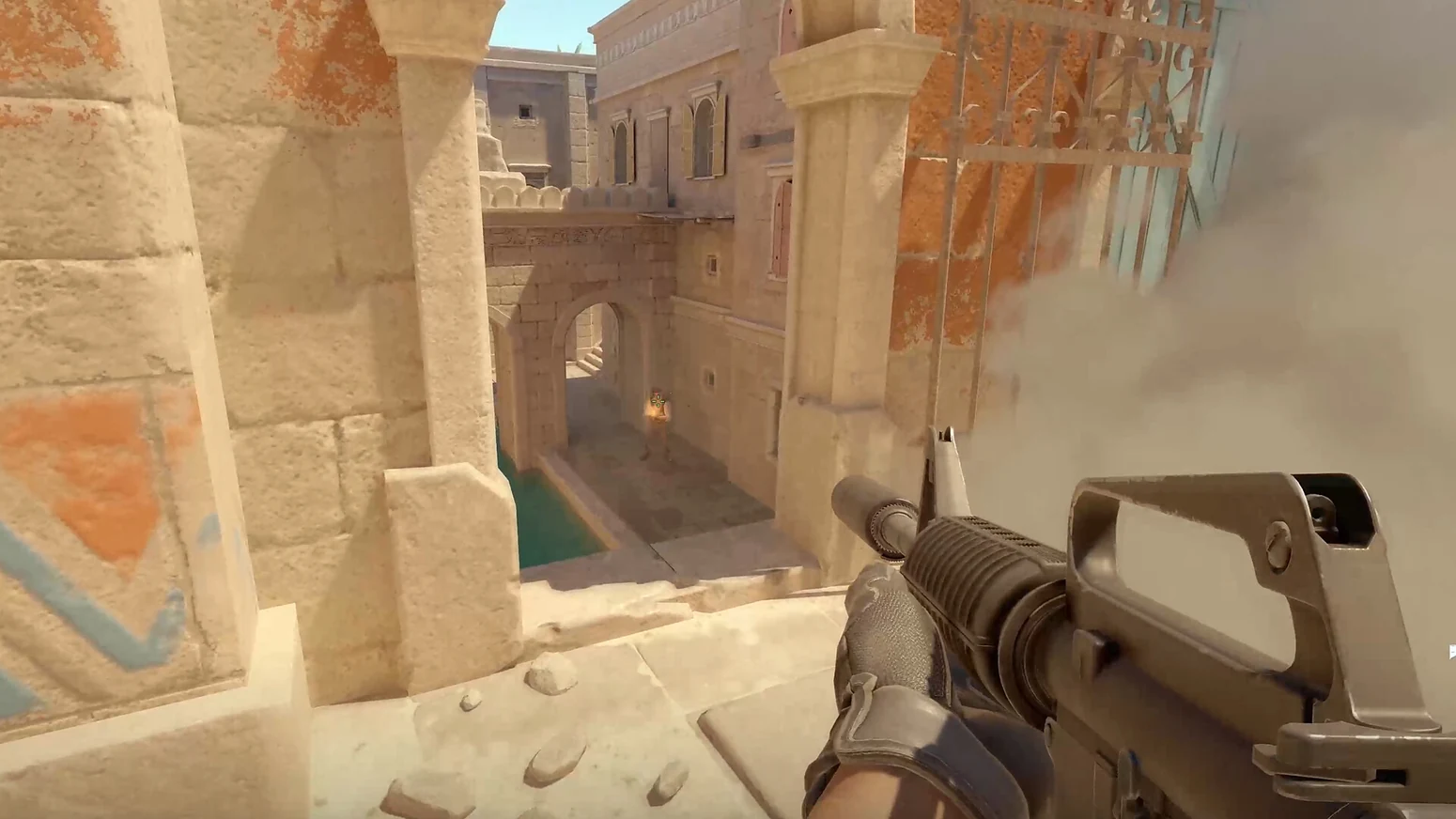
First-person Counter-Strike 2 view down a bright stone corridor toward a shaded archway.
Use the shaded arch and the bright stone on either side as reference points. With each aspect ratio, compare how much of the sides you can see from a fixed position. Valve via Steam.

On a 1080p monitor, 1920 × 1080 produces 2,073,600 output pixels. 1280 × 960 produces 1,228,800, about 41% fewer. That is a real reduction in pixel count. Your actual frame-rate change depends on what is limiting your PC. Keep the resolution you prefer in a moving scene, then look at individual graphics options. ProSettings’ CS2 settings guide distinguishes Global Shadow Quality from Dynamic Shadows. You can test lower shadow quality while keeping Dynamic Shadows on All to retain player-shadow cues from local lights.

2. Calculate the sensitivity you already know

In CS2, effective DPI is mouse DPI × in-game sensitivity. Say your mouse was at 400 DPI and sensitivity was 2.00. That gives 800 eDPI. If you switch the mouse to 800 DPI and leave sensitivity at 2.00, you’ve doubled the effective setting. To keep the same basic turn, divide your old eDPI by the new DPI. Here, 800 ÷ 800 = 1.00.
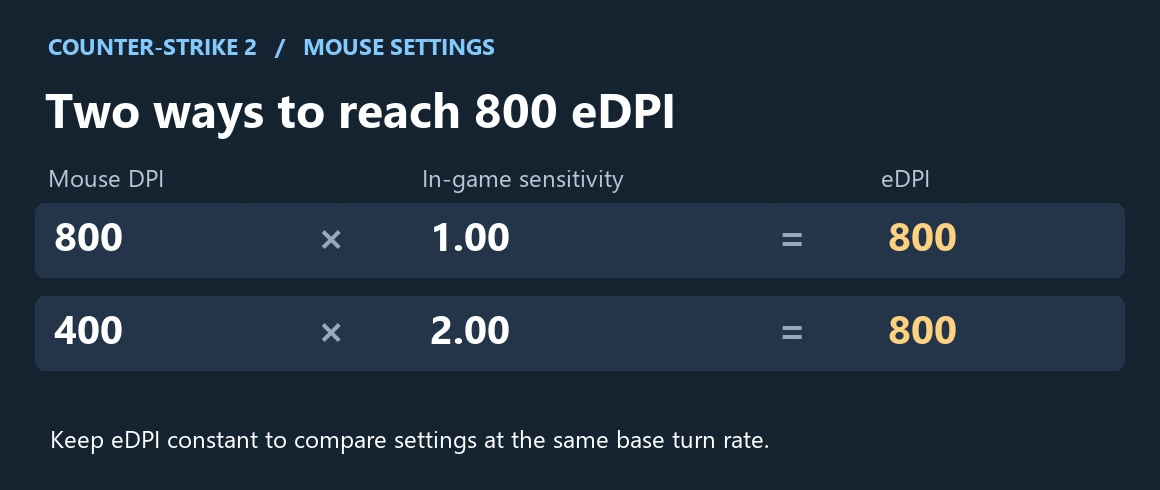
800 DPI at 1.00 sensitivity and 400 DPI at 2.00 sensitivity both equal 800 eDPI in CS2.
Both settings shown here produce 800 eDPI. The number lets you change mouse DPI while keeping a familiar turning distance in CS2. ActivePlayer.io diagram using the ProSettings eDPI formula.

Make the calculation useful on your own desk. Pick two fixed points in a practice map. Put your mouse at a comfortable starting spot, sweep from the first point to the second, then repeat from the same spot. If your wrist or the edge of the pad cuts the turn short repeatedly, try a small increase. If you pass the second point on almost every attempt, try a small decrease. Pick a setting you can repeat before you tune the reticle.

3. Build a crosshair you can find on both surfaces

Open Settings → Game → Crosshair. Start with a stationary reference and move it across a pale wall, a shaded doorway and an object at head height. The orange wall and dark barrels below make a better test pair than an empty patch of sky.
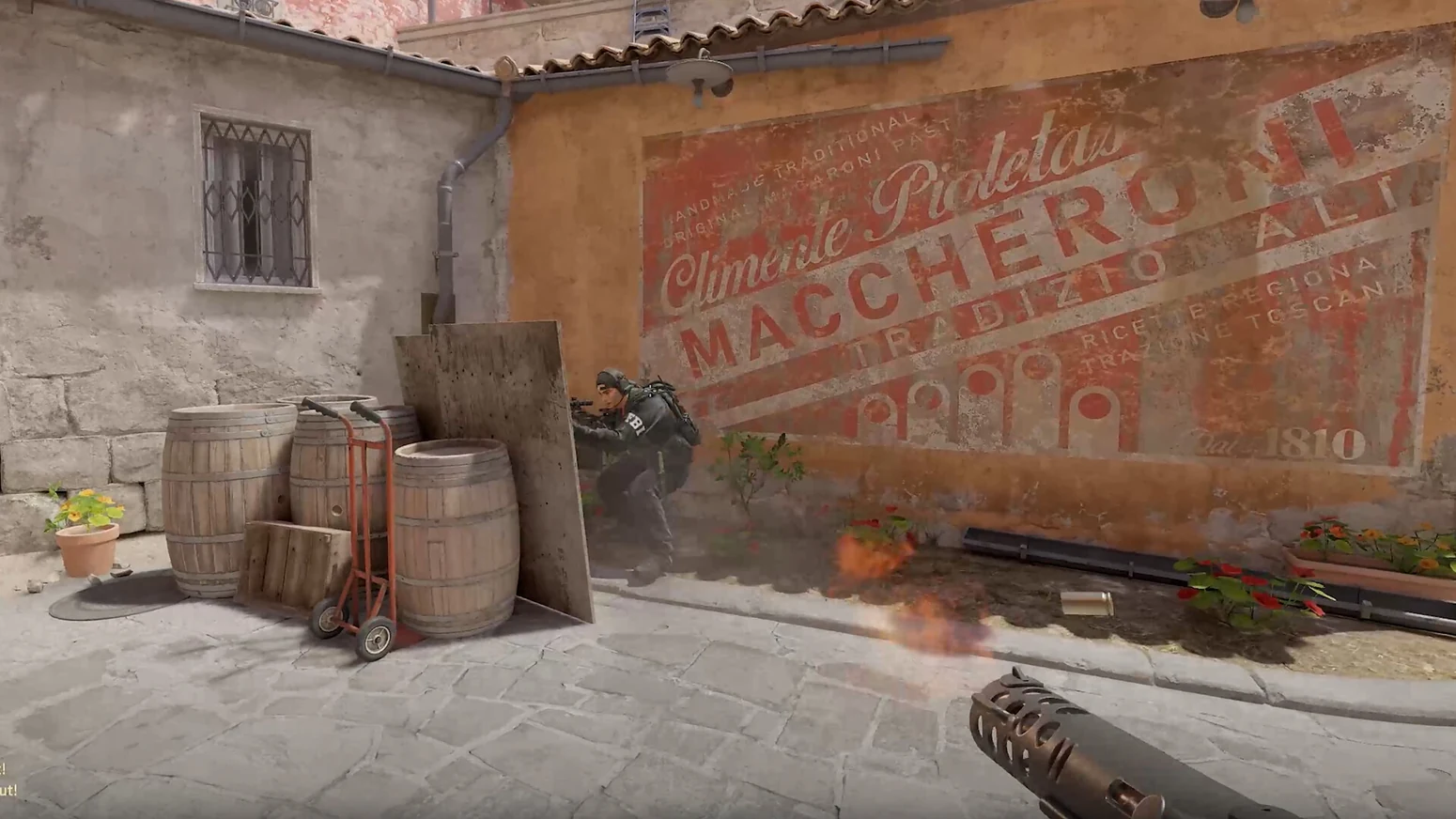
A Counter-Strike 2 player looks toward wooden barrels beside a sunlit orange wall from first person.
Place your reticle over the sunlit plaster, then over the dark barrel. Both surfaces should leave the center readable without covering the target. Valve via Steam.
  • It disappears on the light surface. Try an outline or change the color, then go back to the dark surface and check again.
  • You can see the reticle, but it covers what you aim at. Try a thinner line or smaller center dot. Change one before widening the gap.
  • It moves during a burst when you want a fixed reference. Check Follow Recoil. Turn it on for a practice spray to see the movement, then turn it off and compare the same burst.

Keep the three values you settled on together — resolution and scaling, DPI and sensitivity, crosshair settings. If practice feels consistent but you can’t join a match, that’s a different problem. ActivePlayer.io’s CS2 server status page is a better next stop than resetting your setup. For a look at how a sightline can change mid-round, Valve’s Responsive Smokes demonstration shows CS2’s smoke interacting with the environment.

Tags: Counter-Strike 2Game settingsPC gaming
ShareTweet

Leave a Reply Cancel reply

Your email address will not be published. Required fields are marked *

I agree to the Terms & Conditions and Privacy Policy.

Top Games (30 Days)

  • 1 Fortnite 🔥
  • 2 Counter Strike 2
  • 3 Battlefield 6🔥
  • 4 League of Legends
  • 5 PUBG: Battlegrounds
  • 6 Overwatch 2
  • 7 Dota 2
  • 8 Valorant
  • 9 Genshin Impact
  • 10 CoD: Black Ops 6
  • About
  • Advertise
  • Privacy & Policy
  • Contact
ActivePlayer.io - Game Statistics Authority

© 2022 ActivePlayer.io Game Statistics Authority - Premium and Free Game Statistics and Data ActivePlayer.io.

No Result
View All Result
  • ActivePlayer
    • Top 20 PC Games of 2026
    • Popular Game Counters
    • Fortnite Leaderboard
    • Overwatch 2 Leaderboard
    • League of Legends Leaderboard
    • Valorant Leaderboard
    • Apex Legends Leaderboard
  • Twitch
  • Down Checker
    • Roblox Down Checker
    • Fortnite Down Checker
    • Genshin Impact Down Checker
    • Valorant Down Checker
    • Overwatch 2 Down Checker
    • Rainbow 6 Siege Down Checker
    • Apex Legends Down Checker
    • Destiny 2 Down Checker
    • Tarkov Live Status Checker
  • Tools
    • Fortnite Battle Royale Stats Tracker
    • Robux Conversion Caclculator
    • Riot Points to USD/Dollar Value Calculator
    • Fortnite V-Bucks to USD Calculator
    • Starfield Ship Name Generator
    • Top Guns in Warzone 2.0
  • Platform
    • Mobile
    • PC
    • PS5
    • PS4
    • XBOX
    • SWITCH

© 2022 ActivePlayer.io Game Statistics Authority - Premium and Free Game Statistics and Data ActivePlayer.io.