




The Game Statistics Authority : ActivePlayer.io
  • ActivePlayer
    • Top 20 PC Games of 2026
    • Popular Game Counters
    • Fortnite Leaderboard
    • Overwatch 2 Leaderboard
    • League of Legends Leaderboard
    • Valorant Leaderboard
    • Apex Legends Leaderboard
  • Twitch
    Rocket League Live Twitch Statistics

    Rocket League Twitch Statistics

    Dark and Darker Live Twitch Statistics

    Dark and Darker Live Twitch Statistics

    Final Fantasy XIV Online Live Twitch Statistics

    Final Fantasy XIV Online Live Twitch Statistics

    Shift at Midnight Twitch Statistics

    Shift at Midnight Live Twitch Statistics

    Path of Exile 2 Twitch Statistics

    Path of Exile 2 Twitch Statistics

    Hearthstone Live Twitch Statistics

    Hearthstone Live Twitch Statistics

    EA Sports FC 26 Twitch Statistics

    EA Sports FC 26 Twitch Statistics

    Brawl Stars Twitch Statistics

    Brawl Stars Twitch Statistics

    Nioh 3 Live Twitch Statistics

    Nioh 3 Twitch Statistics

  • Down Checker
    • Roblox Down Checker
    • Fortnite Down Checker
    • Genshin Impact Down Checker
    • Valorant Down Checker
    • Overwatch 2 Down Checker
    • Rainbow 6 Siege Down Checker
    • Apex Legends Down Checker
    • Destiny 2 Down Checker
    • Tarkov Live Status Checker
  • Tools
    • Fortnite Battle Royale Stats Tracker
    • Robux Conversion Caclculator
    • Riot Points to USD/Dollar Value Calculator
    • Fortnite V-Bucks to USD Calculator
    • Starfield Ship Name Generator
    • Top Guns in Warzone 2.0
  • Platform
    • Mobile
    • PC
    • PS5
    • PS4
    • XBOX
    • SWITCH
No Result
View All Result
  • ActivePlayer
    • Top 20 PC Games of 2026
    • Popular Game Counters
    • Fortnite Leaderboard
    • Overwatch 2 Leaderboard
    • League of Legends Leaderboard
    • Valorant Leaderboard
    • Apex Legends Leaderboard
  • Twitch
    Rocket League Live Twitch Statistics

    Rocket League Twitch Statistics

    Dark and Darker Live Twitch Statistics

    Dark and Darker Live Twitch Statistics

    Final Fantasy XIV Online Live Twitch Statistics

    Final Fantasy XIV Online Live Twitch Statistics

    Shift at Midnight Twitch Statistics

    Shift at Midnight Live Twitch Statistics

    Path of Exile 2 Twitch Statistics

    Path of Exile 2 Twitch Statistics

    Hearthstone Live Twitch Statistics

    Hearthstone Live Twitch Statistics

    EA Sports FC 26 Twitch Statistics

    EA Sports FC 26 Twitch Statistics

    Brawl Stars Twitch Statistics

    Brawl Stars Twitch Statistics

    Nioh 3 Live Twitch Statistics

    Nioh 3 Twitch Statistics

  • Down Checker
    • Roblox Down Checker
    • Fortnite Down Checker
    • Genshin Impact Down Checker
    • Valorant Down Checker
    • Overwatch 2 Down Checker
    • Rainbow 6 Siege Down Checker
    • Apex Legends Down Checker
    • Destiny 2 Down Checker
    • Tarkov Live Status Checker
  • Tools
    • Fortnite Battle Royale Stats Tracker
    • Robux Conversion Caclculator
    • Riot Points to USD/Dollar Value Calculator
    • Fortnite V-Bucks to USD Calculator
    • Starfield Ship Name Generator
    • Top Guns in Warzone 2.0
  • Platform
    • Mobile
    • PC
    • PS5
    • PS4
    • XBOX
    • SWITCH
No Result
View All Result
The Game Statistics Authority : ActivePlayer.io
No Result
View All Result

Fortnite PC settings you can tune in one Creative session

Use the same fight to check frame drops, distant targets, directional audio and mouse control. Epic’s menus give you a way to test each change.

Home Learn

If Fortnite feels fine on the Battle Bus but hitches when someone puts a wall in front of you, the lobby FPS number has told you very little. Pick a short route on a Creative island with a distant object, a tight doorway and a place to build. Run it once with your current settings. Come back to that same route after each change. The result you’re looking for is a fight you can read and a frame rate your PC can sustain.

Before changing anything, take a screenshot of your Video and Mouse and Keyboard settings. It gives you a way back if a change makes aiming worse. This ActivePlayer.io guide uses Epic’s illustrated Fortnite PC guide for the menu names. The drills below are ways to compare your own results.

1. Start with the renderer and a clear picture

From the lobby, press Esc, open Settings using the gear icon, and choose Video. Start at your monitor’s native resolution and select Fullscreen. Under Rendering Mode, choose Performance, select Apply, then restart Fortnite. Return to Video once it reopens to check which mode is selected. Epic’s current Performance renderer uses DirectX 12. Selecting full DirectX 12 in the menu exposes a different set of graphics options. Epic’s Performance Mode instructions
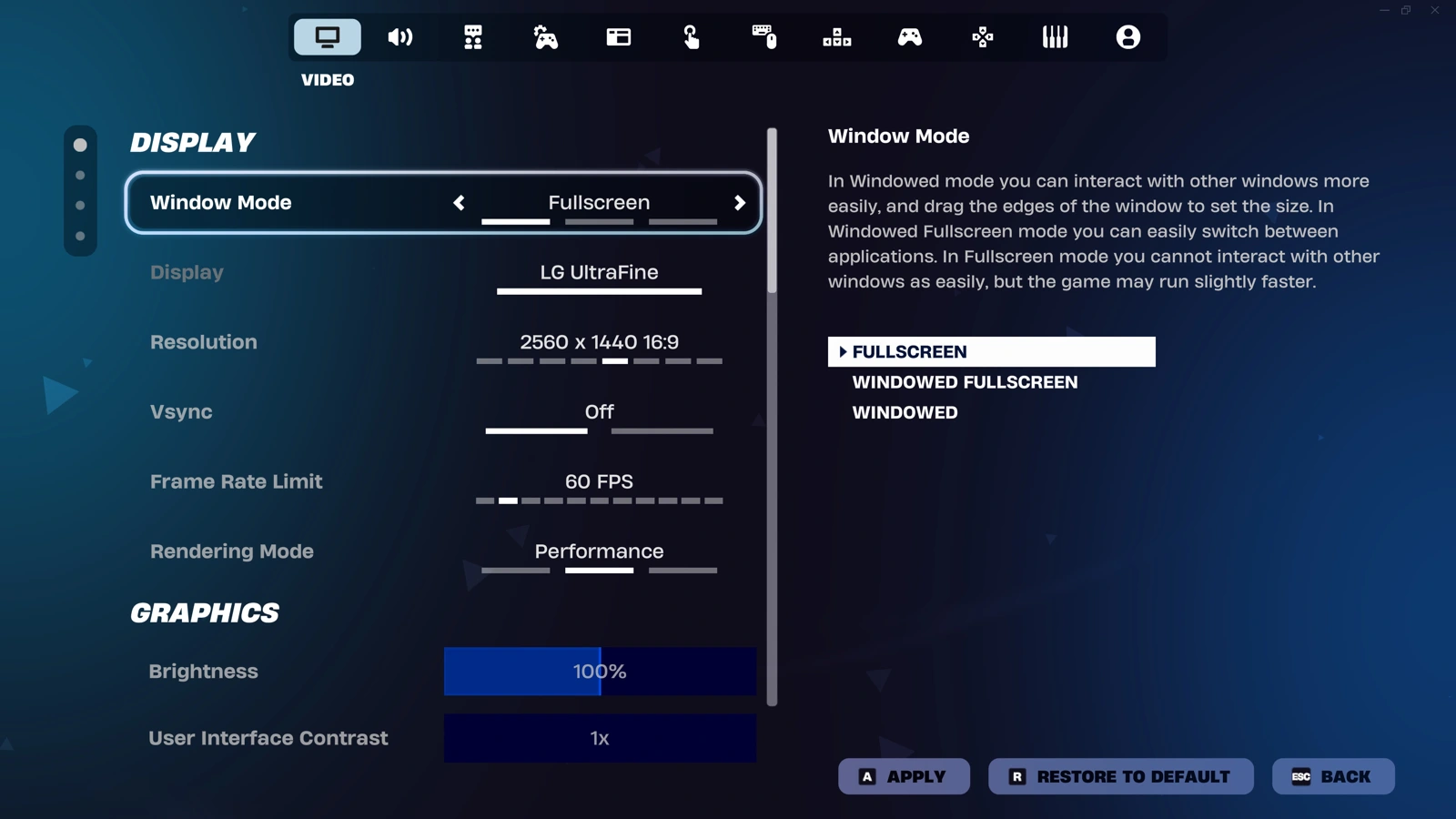
Fortnite’s Video settings show Fullscreen, resolution, frame-rate limit and the Performance rendering mode.
The Video tab groups the settings you need for the first comparison. Check the selected mode again after restarting. Epic Games.

Start Performance mode with Textures and Meshes on Low and 3D Resolution at 100%. That gives you a clear baseline. At your test doorway, turn until the distant object is visible. If it becomes hard to distinguish after changing 3D Resolution, restore the previous value. A fast-moving blur can cost more in a fight than the extra frames are worth.

2. Choose a frame-rate limit your PC can hold

Enable Show FPS in Video. Run the same route and build through that doorway. Watch what happens during the turn and the build, then try an available frame-rate limit close to the rate your PC can sustain there. A 144 Hz monitor can display 144 refreshes per second, but owning one doesn’t make your GPU finish each frame in time.
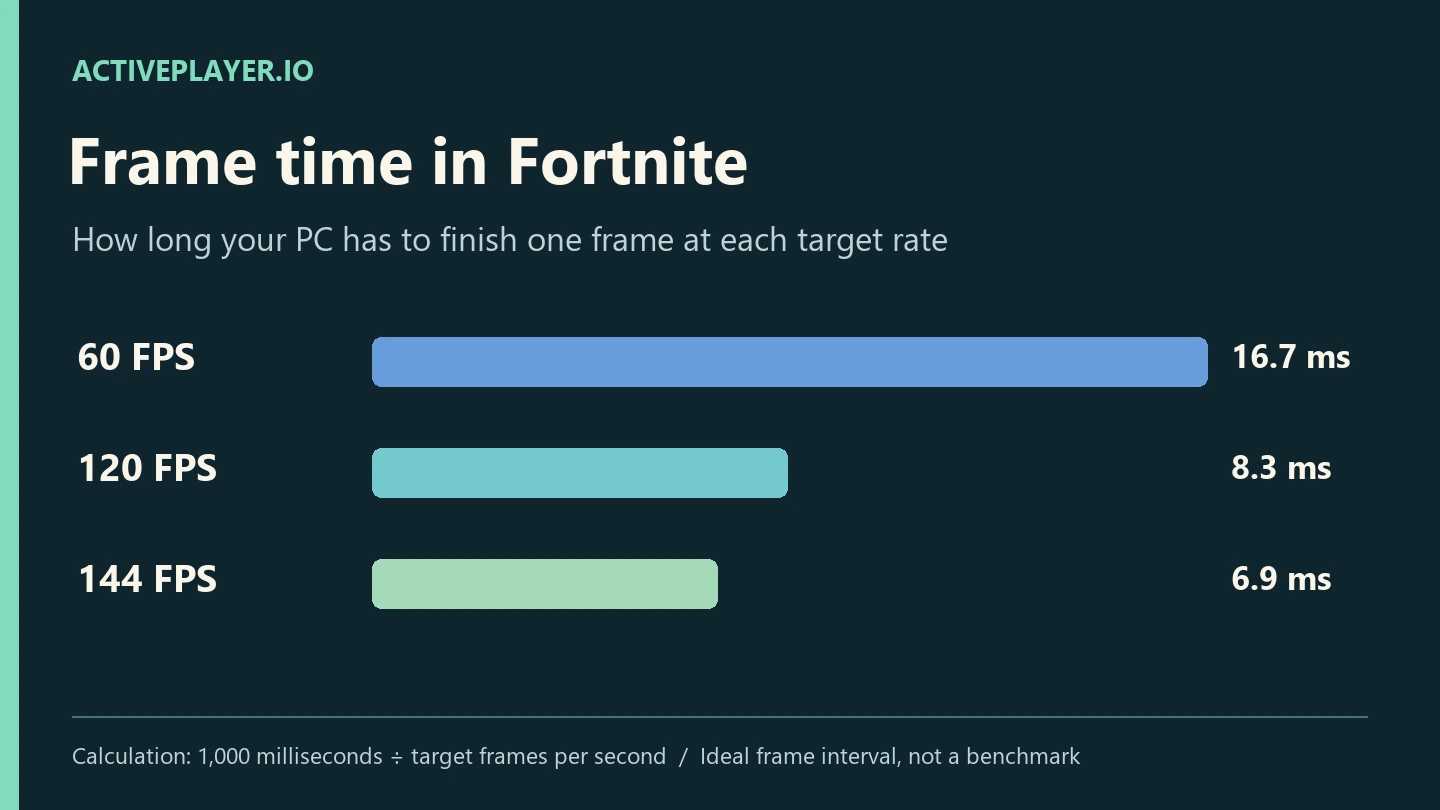
Ideal frame intervals shrink from 16.7 ms at 60 FPS to 8.3 ms at 120 FPS and 6.9 ms at 144 FPS.
A higher cap gives your PC less time to finish each frame. Compare the same fight after changing it. ActivePlayer.io.
What you see on the same runChange to try next
Distant outlines are clear, but the counter drops in fightsKeep the resolution. Compare a lower frame cap, then test a small reduction in 3D Resolution separately.
The counter is steady, but distant edges shimmerRestore the last clear 3D Resolution. On full DirectX 12, compare the available anti-aliasing and super-resolution options.
The picture tears during turnsCompare a suitable frame cap with your monitor’s refresh or variable-refresh settings. Test before keeping the change.

Epic describes what anti-aliasing and super resolution do in Fortnite. Check which options your hardware actually lists. If the FPS counter stays steady while characters snap backward, try the same drill in a second match before sacrificing more image quality. A display setting can’t correct a network interruption.

3. Use a sound cue you can reproduce

In Audio, enable Visualize Sound Effects. In a private session, ask a teammate to move from one side of a wall to the other. Watch the indicator as you turn, then listen again with your headphones. Epic’s guide also shows the 3D Headphones control. Try it separately so you can tell which change helped. An indicator gives you a direction to investigate. You still need to check the doorway, floor or rooftop before committing to a fight.
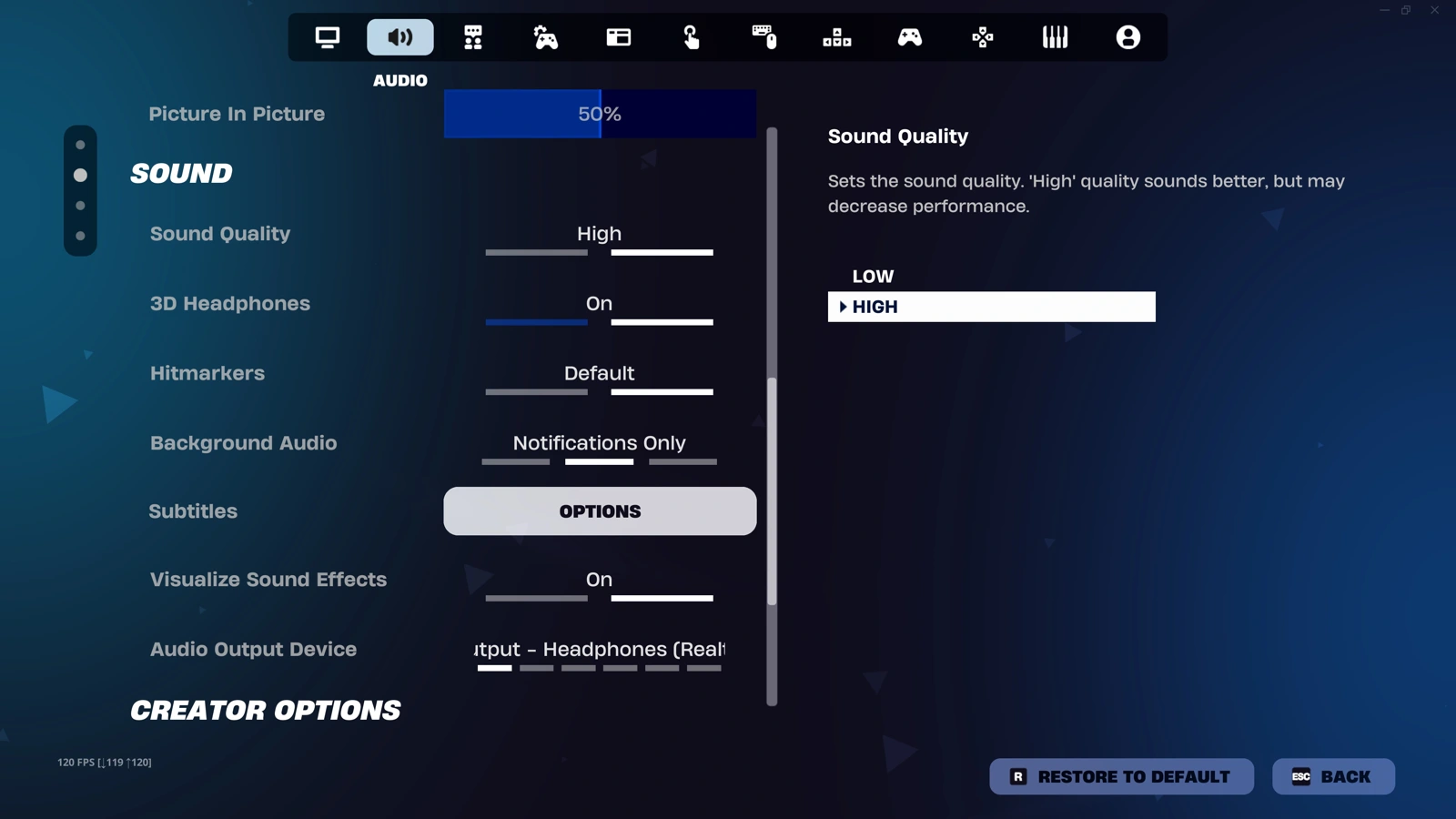
Fortnite Audio settings show Sound Quality, 3D Headphones, Headphones and background audio.
Start in the Audio tab shown here. Test the headphone setting and visual sound indicators independently. Epic Games.

4. Set your mouse for a repeatable turn and a precise stop

Keep your mouse DPI fixed for the drill. In Mouse and Keyboard, note the X-Axis and Y-Axis Sensitivity values. Pick two objects at different distances. Turn toward the near one, stop on its edge, then track the far one while moving sideways. Overshooting both several times is a reason to try a small decrease. Repeatedly hitting the edge of your mousepad before completing a turn is a reason to try a small increase. Repeat before changing it again.
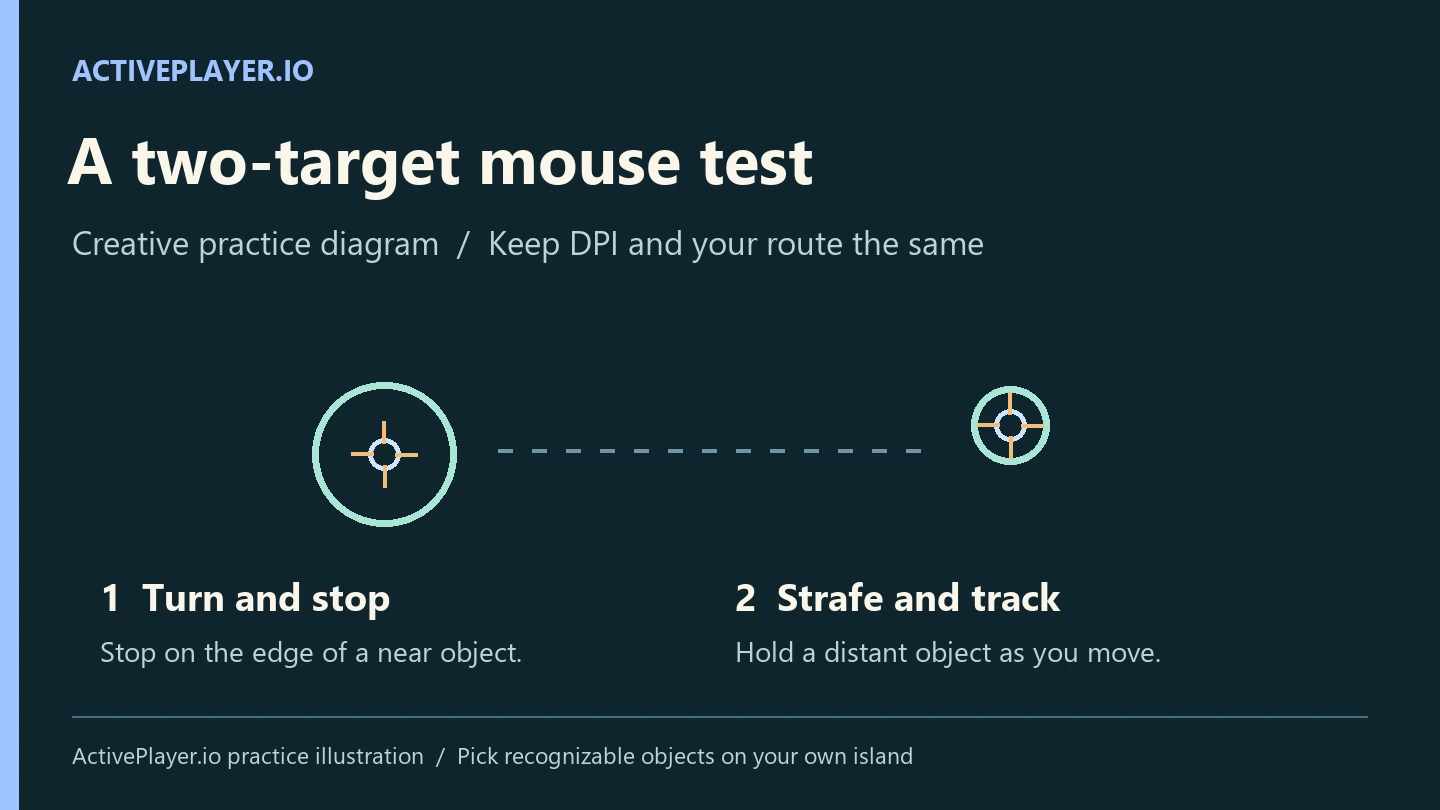
Diagram of a large near target for stopping a turn and a smaller far target for tracking while strafing.
Pick a near edge and a distant target you can recognize on the next run. Repeat the same motion before adjusting sensitivity. ActivePlayer.io.

If you build, place your wall and edit controls where you can reach them while still moving. If you play Zero Build, spend that test time on tracking and cover transitions instead. Keep the setup that helps you finish the same action cleanly twice. Once you’ve played enough real matches to compare results, ActivePlayer.io’s Battle Royale stats guide shows where to find your match statistics.

Tags: FortniteGame settingsPC gaming
ShareTweet

Leave a Reply Cancel reply

Your email address will not be published. Required fields are marked *

I agree to the Terms & Conditions and Privacy Policy.

Top Games (30 Days)

  • 1 GTA 6
  • 2 Fortnite 🔥
  • 3 Counter Strike 2
  • 4 Battlefield 6🔥
  • 5 League of Legends
  • 6 PUBG: Battlegrounds
  • 7 Overwatch 2
  • 8 Dota 2
  • 9 Valorant
  • 10 Genshin Impact
  • 11 CoD: Black Ops 6
  • About
  • Advertise
  • Privacy & Policy
  • Contact
ActivePlayer.io - Game Statistics Authority

© 2022 ActivePlayer.io Game Statistics Authority - Premium and Free Game Statistics and Data ActivePlayer.io.

No Result
View All Result
  • ActivePlayer
    • Top 20 PC Games of 2026
    • Popular Game Counters
    • Fortnite Leaderboard
    • Overwatch 2 Leaderboard
    • League of Legends Leaderboard
    • Valorant Leaderboard
    • Apex Legends Leaderboard
  • Twitch
  • Down Checker
    • Roblox Down Checker
    • Fortnite Down Checker
    • Genshin Impact Down Checker
    • Valorant Down Checker
    • Overwatch 2 Down Checker
    • Rainbow 6 Siege Down Checker
    • Apex Legends Down Checker
    • Destiny 2 Down Checker
    • Tarkov Live Status Checker
  • Tools
    • Fortnite Battle Royale Stats Tracker
    • Robux Conversion Caclculator
    • Riot Points to USD/Dollar Value Calculator
    • Fortnite V-Bucks to USD Calculator
    • Starfield Ship Name Generator
    • Top Guns in Warzone 2.0
  • Platform
    • Mobile
    • PC
    • PS5
    • PS4
    • XBOX
    • SWITCH

© 2022 ActivePlayer.io Game Statistics Authority - Premium and Free Game Statistics and Data ActivePlayer.io.