

The download bar can be full and your PS5 can still need an update before Grand Theft Auto VI will launch. Start on the console’s Settings screen, not the GTA VI tile. PlayStation Support’s November 18 notice says PS5 system software must be up to date to play.
The two adjacent PS5 menu items you need
From the home screen, open Settings → System → System Software. Sony puts the two controls you need next to each other. Use the first to see what’s installed, and the second if there’s an update to apply.
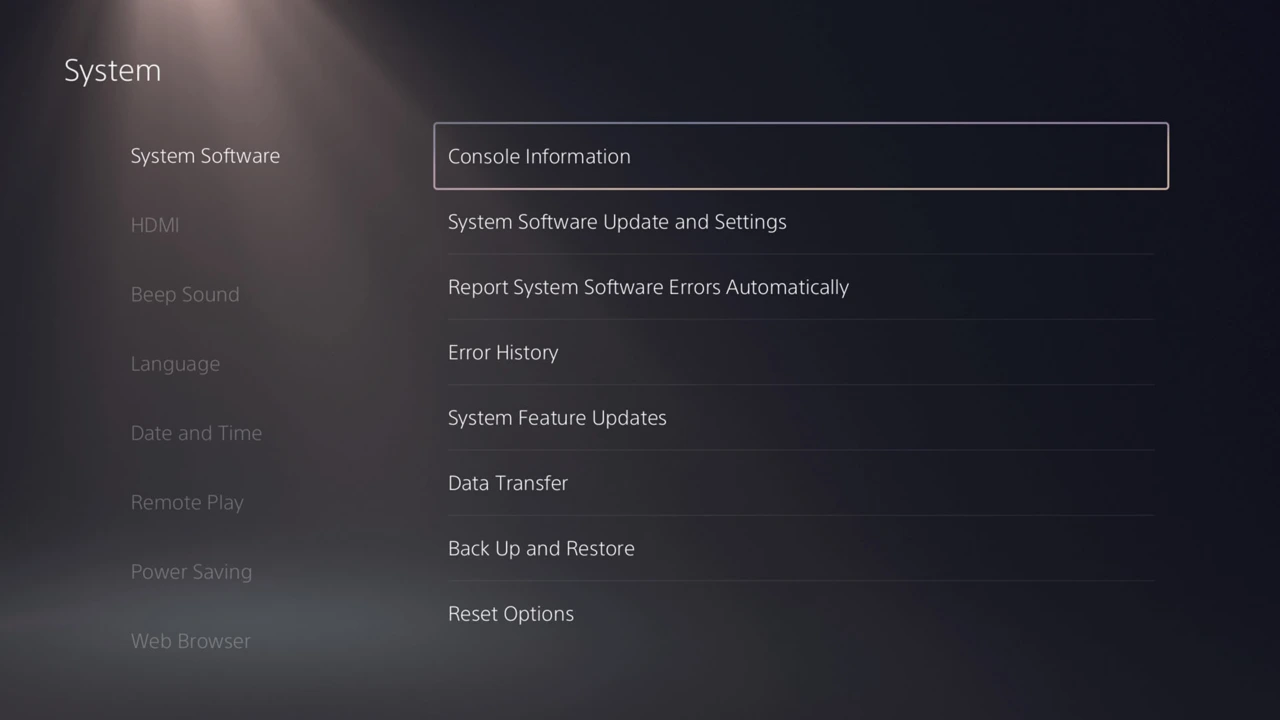
- Check the installed version. Open Console Information, then look for System Software. Sony’s illustrated version guide shows the route. When ActivePlayer.io checked on November 19, Sony’s firmware history listed 26.07-14.23.00 and described security fixes. Use the console’s current status if you’re reading this after another update.
- Install an available update. Back out one level. Open System Software Update and Settings → Update System Software and follow the console prompts. PlayStation’s system-update guide also covers recovery if the update itself fails.
Return to the game tile and try launching once the system update finishes. The Options menu on the game tile checks the game’s own software. Finishing that download and finishing a console update are separate events. That distinction got particularly easy to miss during the GTA VI preload rush.
Already up to date? Follow what you actually see
The download has stopped moving
Open Downloads/Uploads in the control center, select GTA VI, then choose Pause followed by Resume. If the problem returns, compare the free space under Settings → Storage with the requirement on the game’s own View Product page. You can reach it from Game Library by selecting the game, then the … menu. This avoids planning around an install-size number for another edition or another patch.
A padlock appears on a digital copy
First work out which account bought the game. If someone else on this PS5 owns it, that person can open Settings → Users and Accounts → Other → Console Sharing and Offline Play and check that sharing is enabled on this console. If the purchasing account itself sees the lock, highlight GTA VI, press the controller’s Options button and select Restore License. You can also use Users and Accounts → Other → Restore Licenses to select the relevant license.
The game opens, but an edition bonus is missing
At this point you’ve passed the launch check. Look at your purchased edition and how far Jason and Lucia have progressed. Sony says Ultimate Edition bonuses arrive across the chapters. For a specific item, start with PlayStation’s GTA VI support page, which separates edition contents, download issues and launch problems. Reinstalling the same files won’t advance a chapter.
The original PlayStation Support announcement is embedded below for reference.

